
Summary: This is an article about how to add Whatsapp flat smileys/emotions to Blogger Posts. There are so many articles on the Internet about adding smileys to blogger comments but this is the first time on Internet, adding WhatsApp flat smileys to Blogger Comments. 
These Whatsapp smileys/emotions are very powerful emotions to express our feelings. We know even Google uses the same pattern, they are using flat smileys in their chats. Flat design trend rules this Internet era, then why should you lay down in old design trend. Let’s see how to add Whatsapp smileys/emotions.
Update: Sorry! Outdated Post. Blogger now officially supports smileys.
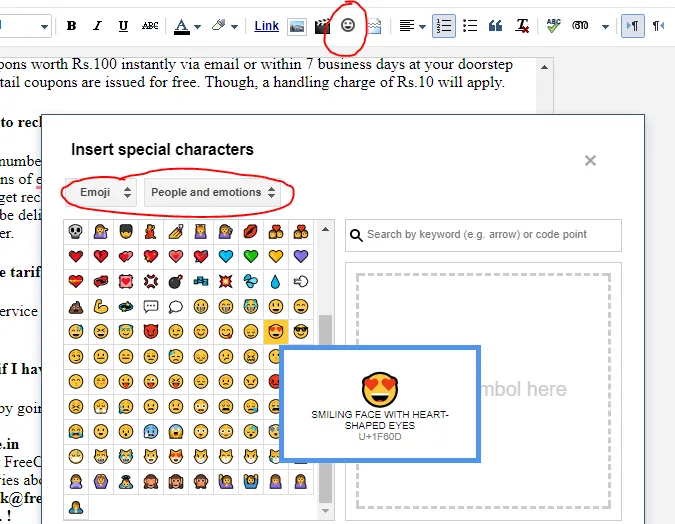
The below image shows how to add blogger official smileys into posts.
Design Trend changes time by time now the design trends lies in flat design. In this new generation era flat icons, flat pictures, flat websites, everything is in flat design. So why we are still stuck in the old design. Let us go to the new Whatsapp smileys to express your and your user’s emotions.
This is the first article about how to add Whatsapp smileys to blogger posts and comments on the Internet. Keep visiting and get brand new widgets.
How to add whatsapp smileys?
Sign In to Blogger DashBoardSelect Template from the left menuSelect Edit HTMLFind
