Archived from netoopsblog.com. This post was recovered from historical snapshots.
View original URL

You go to
Design->Edit HTML
look for
find and place meta tags inside it. But,
It is not easy to find a code manually.So Use Ctrl + F to find.
Look the below picture
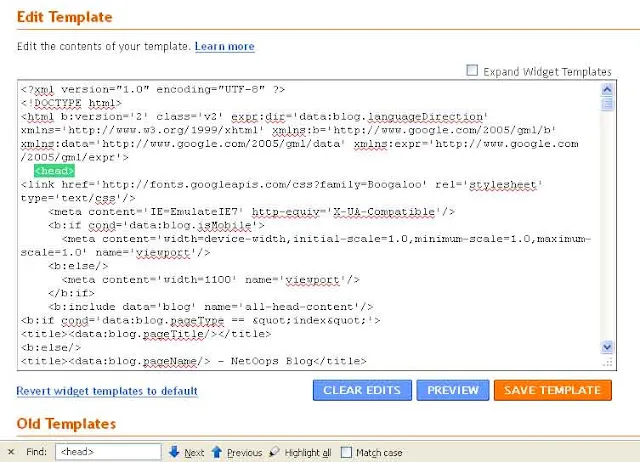
- Hold Ctrl on the keyboard and press F,(Ctrl+F is the shortcut to reach Find Bar in almost all browsers)
- A Find Bar will display, Type the code you want to search.
- At once that code will highlight on the Page/Blog
- Then you can edit/delete/modify highlighted code.